
Part 3 of five on running an AI agent fleet. Part 1 covered the two lanes and the rulebook they share, and part 2 reviewed the headless lane in detail.
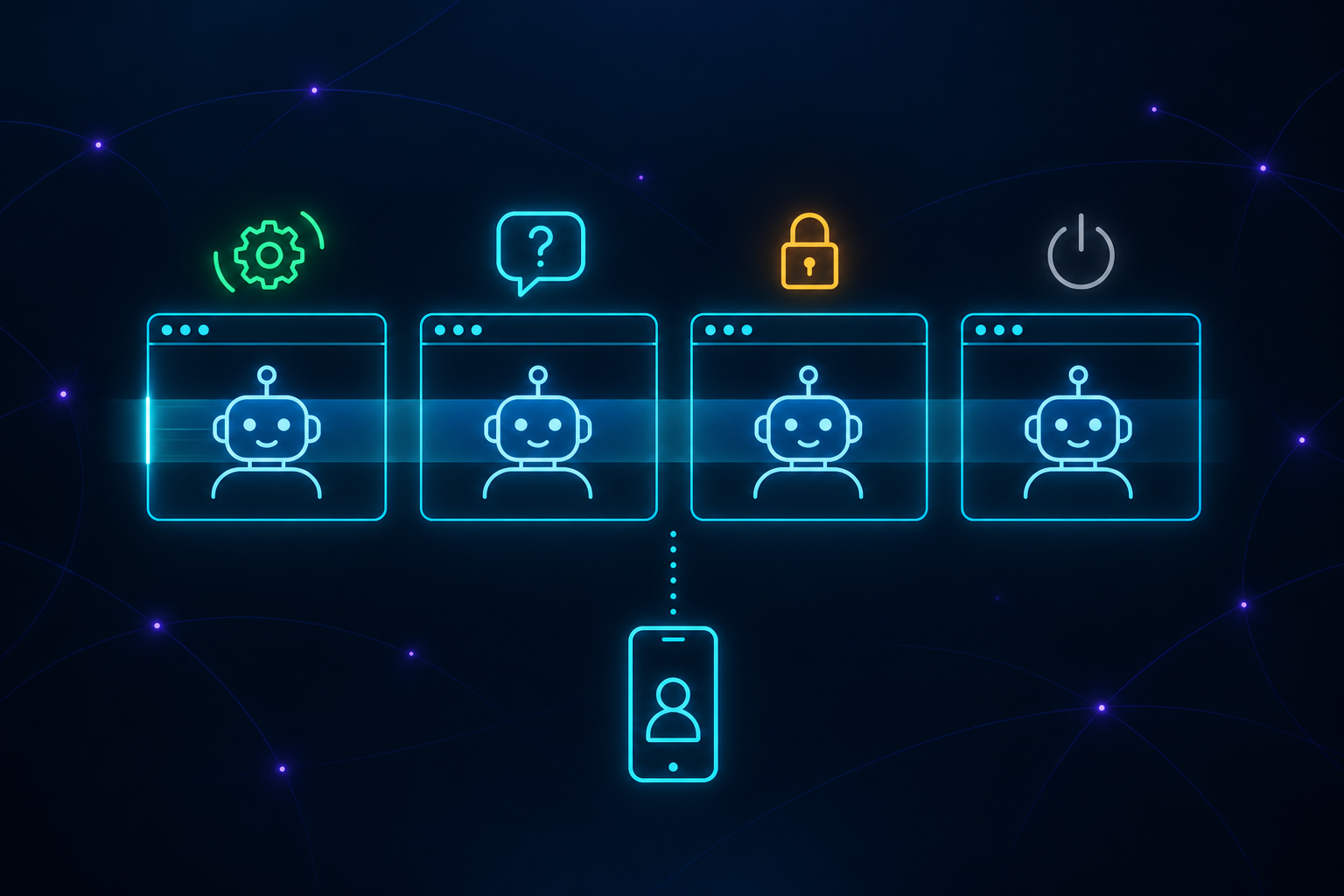
This is the lane with sessions I talk to directly, through a central coordinator. With 21 agents open at once, on several computers and across several products, I can’t watch every window or check all the work myself. I need to know which sessions need me, and I need the agents to follow my rules and policies, with those rules actually enforced. At any moment, a session is doing one of four things: working on a task, sitting idle with nothing to do, waiting for me to answer a question, or stuck on something it can’t get past on its own.
From the outside, they are hard to tell apart: each one is just a terminal with text on the screen. Only two of them need me, waiting and stuck. The rest of this post explains how the lane is set up so that those two reach me, and every session works by the same rules.
The roles
There are three roles, and every session runs the same model. What separates them is what each one is allowed to decide.
- The coordinator is a session called TPM, short for technical program manager. It hands out work, answers the workers’ questions, and makes the everyday decisions: design choices inside a ticket, the order things merge in, and priority and scope within the direction I give it.
- The workers are the other sessions, one per repository folder. A worker takes one ticket at a time, in its own git worktree and branch, and cleans both up when the ticket lands.
- I decide a short, closed list of things: money, a customer-visible risk, anything irreversible or public, licensing, and work outside the current milestone.
Questions go from a worker to the coordinator, and only reach me if the coordinator can’t settle them. Part four covers these decision rights in detail, including the one case where a worker is expected to say no to the coordinator.
How work is handed out
Work goes to a machine because it can handle it, not because it is free. Each machine has a role and a profile:
- The coordinator runs on an old laptop with 4 GB of memory. It coordinates and nothing else: no test suites, no builds. At roughly 290 MB per session, it runs three, one per organization.
- The MacBook Pro with 24 GB is for development and testing. It runs ten sessions, including one for each repository I work on most.
- The Linux PC runs the headless lane from part two and a self-hosted GitHub Actions runner, so CI and other GitHub workflows run there too. It also runs eight interactive sessions for development and testing.
- The 64 GB MacBook serves the fleet’s local models through Ollama to every other machine, and takes work from the coordinator when it is needed.
A launcher, the script described in part one, starts each machine’s sessions at boot inside tmux and restarts any that have exited. Each one is a regular Claude Code session with Remote Control turned on, which connects it to my Claude account. That does two things. I can open any session from my phone or a browser and answer it there. And the sessions can message each other across machines through that same connection, which is how the coordinator hands out work and how workers report back.
Rules and skills
Every session reads the same rulebook, synced from one Git repository, so a rule I change reaches all 21 sessions. The rulebook is kept short on purpose. The detailed rules live in skills, and each skill is tied to a moment: before running a test suite, before merging, before opening an issue, before clearing a session. A session loads a skill when it reaches that moment, instead of carrying every rule all the time. Part four covers how that is organized and why.
How a session shows its work
A session’s work has to be visible on GitHub, not just in its own conversation. When it picks up an issue, it claims it on the issue itself, with a comment saying which machine and branch are on it, and an agent:working label it removes when it stops. It pushes its branch early, because a branch that only exists on one machine is invisible to everyone else. That is how two sessions avoid editing the same file.
When it reports to the coordinator, it uses five short lines: the state of the ticket, the commit, the exact test count, the files it is holding, and the one decision it needs. Part four has the format. On some repositories a worker can merge its own work once it has been reviewed and the tests pass. On others it stops at the pull request, and I merge it.
Keeping track: working, waiting, or stuck
A health check looks at every session and sorts it into one of four states: working, waiting for input, stuck, or exited. Two ideas make that work.
First, it never trusts the window. When an agent exits, tmux keeps its window open on a shell that still shows the last screen, so an exited session looks like one in progress. The check asks the operating system which program is actually running in that window.
Second, it reads how the screen is built, not what it says. Real dialogs always end with the same fixed line at the bottom, like “Enter to confirm · Esc to cancel”, so the check looks for those exact lines in the last few lines of the screen. Looking for words like “do you want to” does not work, because an agent can use those words in a normal reply.
When the check finds a session stuck on a dialog, for example one that finished its work but is waiting for a keypress before it can exit, it tells the coordinator. It does not press the key itself, because the session might be waiting on a real question. The coordinator then tells me, and I answer from the Claude app on my phone, or through Telegram or Mattermost.
Keeping sessions healthy
Everything a session has said and read stays in its context, and all of it is read again on every call. A session that finishes one task and moves on to the next carries the whole first task along, and across 21 sessions that adds up fast. When I measured, trimming the busiest sessions would have cut about a quarter of the fleet’s usage.
So sessions clear their context between unrelated tasks, and compact it when the thread still matters, but never in the middle of a task. Anything that exists only in the conversation, like a decision or a measurement, gets written to a memory file first. A context tool, one of the coordinator’s tools, does this from outside, and it refuses to clear a session that is mid-task, holding a dialog, has text typed in, or has an open pull request. A session that is waiting on me says so in its last line, because otherwise it looks just like one that has finished.
My part
With all of this in place, my part is small. I set the rules and the direction: what matters most, and how the products should be built. I answer what the coordinator brings me, usually from my phone, and decide the few things that are mine to decide. Everything above exists so that I only get pulled in when a person is actually needed. In practice, I’m the CTO of a small organization that works around the clock.
Part four of this series covers the rulebook all these sessions read, and how it is organized.
The views expressed in this document are solely my own and do not represent those of my current or past employers. If you identify an error, please contact me, and I will make the necessary updates.