
My AI Agent Fleet, Part 2: From a GitHub Issue to a Pull Request Without Watching a Terminal
Part 2 of five on running an AI agent fleet. Part 1 covered the two lanes and the rulebook they share.
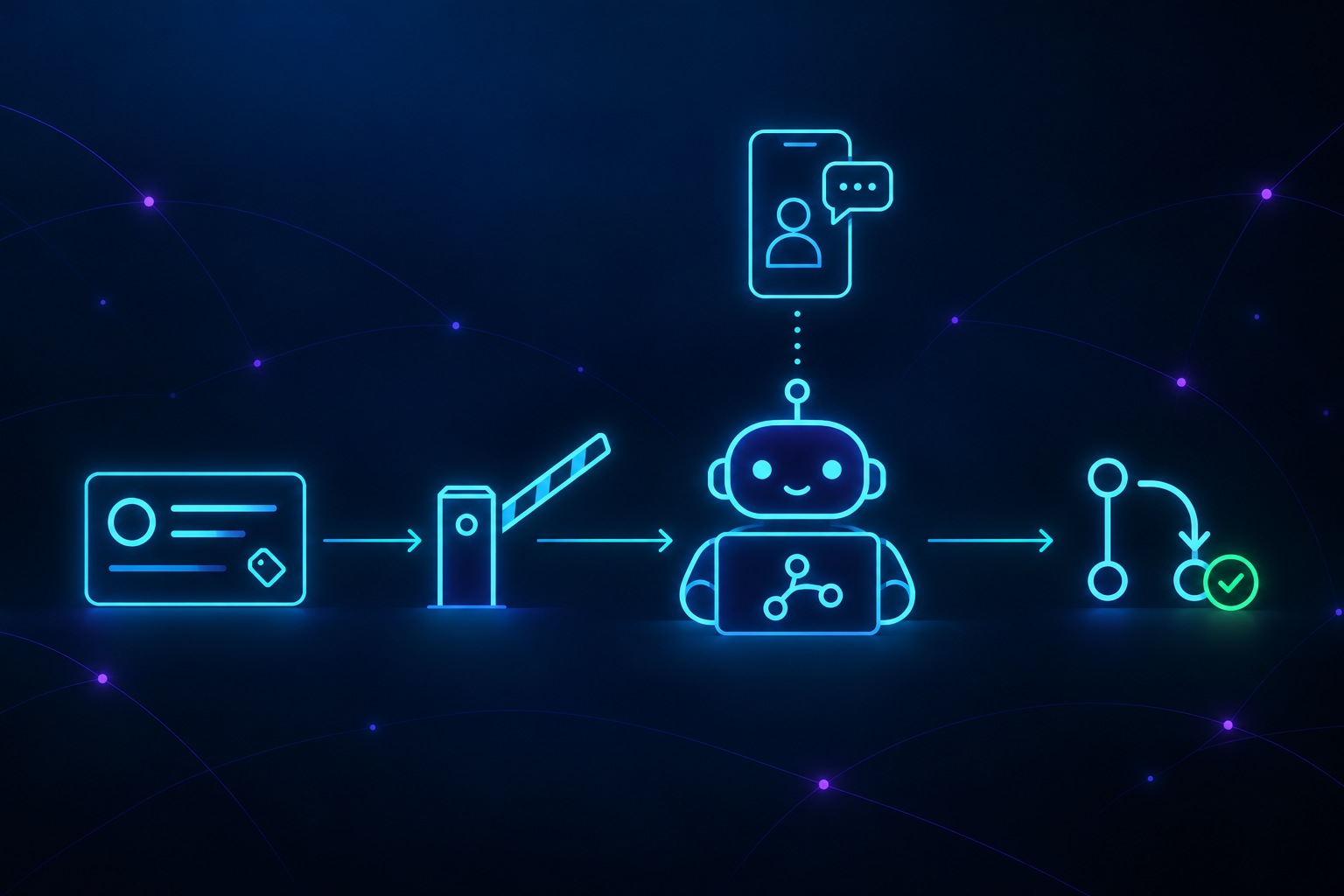
This post is about the headless lane. An issue gets assigned on GitHub, and some time later a pull request appears with tests and a description. Nobody watched a terminal for any of it. If a decision is needed, the agent escalates a question to me, the human in the loop, and once I answer, the work continues from that decision.
The headless lane runs on ctrlrelay, open source under the Apache 2.0 license. I’m the author, and it keeps changing: much of that happens automatically, based on what my team and I learn along the way. Most of the work it handles is DevOps in the broad sense: bug fixes, documentation and editorial changes, releases, CI and workflow improvements, Dependabot updates, security fixes, and version upgrades. The reasons behind each change go in its changelog, which is where most of what follows comes from.
How it is put together
CTRLRelay (Control Relay) is a few small parts running on one Linux/MacOS machine, with no web server and no queue:
- The poller is a background service. Every five minutes it asks GitHub for new issues across the repositories in its config, and it also runs scheduled jobs, like the daily security sweep.
- The pipelines do the work. The dev pipeline turns an issue into a pull request. The secops pipeline runs on a schedule and handles Dependabot alerts and pull requests.
- The agent is Claude Code running headless (
claude -p), in its own git worktree, one per issue. - The state database is a single SQLite file. It holds the repository locks, the sessions, and the questions waiting for me.
- The bridge is a separate service that carries those questions to me on Telegram or Mattermost and brings my answers back. It can restart without touching work in progress.
What the agent is allowed to pick up
Work comes in through two gates, and each one has its own rules.
The first is GitHub issues. Before any agent runs, the poller decides which issues it may take. That check is defined configuration, not prompt, so nothing written in an issue can talk its way past it. On every repository, an issue needs two things: it is assigned to me, and it carries the ctrlrelay:auto label. Assignment alone was too loose: some accidental self-assigned tasks would go into the pipeline the first time the poller saw a repository. A manual, operator, or instruction label always wins and keeps the agent off the issue.
The second is the security sweep, which runs every morning at 6 AM on every repository listed in the configuration, even when no GitHub issues are assigned to me. It looks only at open Dependabot alerts, pull requests opened by Dependabot, and my own pull requests that turn Dependabot on. That is the work the Dependabot keys below are for.
Per-repository policy is a short config block:
1
2
3
4
5
6
7
8
9
10
11
repos:
  - name: "your-org/your-app"
    local_path: "~/Projects/your-app"
    automation:
      dependabot_patch: auto
      dependabot_minor: ask
      dependabot_major: never
      accept_foreign_assignments: false
      exclude_labels: ["manual", "operator", "instruction"]
      require_labels: ["ctrlrelay:auto"]
      ci_wait_timeout_seconds: 600
The Dependabot keys work differently from the labels. They are not checked in code; they become instructions in the sweep’s prompt. auto tells it to merge a patch bump once CI passes, ask sends me the question, and never leaves the pull request alone. That is an instruction, not a lock, which is why the decision about which issues enter the pipeline at all lives in code.
Credentials are referenced by environment variable name, never by value. The config holds bot_token_env: "CTRLRELAY_TELEGRAM_TOKEN" and the process reads the name. That is a small thing that makes the config file committable, which is what makes a new machine a ten-minute job.
The End to End pipeline
From my side it looks like this. I assign an issue to myself on GitHub and add the ctrlrelay:auto label. ctrlrelay comments on the issue to say it took it, so anyone else looking knows. If the issue is unclear, I get a question on Telegram or Mattermost, and the work waits for my answer. Otherwise, some time later a pull request shows up with tests and green CI. The agent doesn’t merge it. That part stays with me.
Under the hood, the agent is given a numbered workflow:
1
2
3
4
5
6
7
8
9
10
11
1. Validate the issue still applies to the current codebase
2. If anything is unclear, signal BLOCKED (see below) to ask for clarification
3. Plan and implement the fix using TDD
4. Push the branch and open a PR that references the issue
5. Before signaling DONE, verify the PR is mergeable:
   - Wait for CI by running EXACTLY this command (do NOT improvise bash):
     `ctrlrelay ci wait --pr <PR> --repo {repo} --timeout {ci_wait_timeout_seconds}`
   - Run `gh pr view <PR> --json mergeable,mergeStateStatus`
6. Signal DONE only when the PR is green AND conflict-free, with the PR URL.

Do NOT merge the PR - wait for human review.
Step 1 is there because an issue filed three weeks ago may already be fixed. Step 2 is there because an agent that guesses at an ambiguous ticket produces a pull request that looks finished. The capitalized “EXACTLY” in step 5 has a story behind it, below.
Two issues in the same repository can be worked at the same time, so the dev pipeline uses a lock to make them take turns whenever they touch git. While an agent waits for CI, it gives the lock back, so one issue’s ten-minute CI run doesn’t hold up the other. The only real decision was how long to wait to get the lock back. Too short, and a healthy session working on another issue makes this one fail. No limit, and a session that crashed while holding the lock blocks the repository forever. I settled on about an hour.
How the agent reports back
When the agent stops, it leaves a short note in a file: done, stuck with a question, or failed. ctrlrelay reads that note to decide what happens next. It is a file rather than something kept in memory, so ctrlrelay can restart and still know where every session got to.
Without that note, a finished agent and a crashed agent look exactly the same. For example, say I approve some work and the agent picks it back up. It merges three of four pull requests, then exits without leaving a note. From the outside, that looks like a failure, even though most of the work landed. That is why every set of instructions the agent gets, including the short one for picking work back up, carries the same rule about the note.
The rules the agent works under
The numbered workflow is only part of what the agent reads. ctrlrelay also syncs my shared rules and skills into ~/.claude/ from the same Git repository the interactive lane uses, so the headless agent starts with the same rules as the sessions I drive by hand. Part four covers how that rulebook is organized.
The prompt also sets a few rules of its own. If the comments on an issue say something different from the issue itself, the agent follows the comments, since that is usually where people change their minds. If it can’t tell which one is right, it asks me. The security sweep only touches Dependabot’s work and my own Dependabot setup. It never looks at anyone else’s pull requests.
The review loop
After the agent opens a pull request, GitHub runs the repository’s automated checks (CI): the tests, the build, the linters. The agent can’t call the work done until those pass, because a pull request that fails its own checks only looks finished. The agent then waits using ctrlrelay ci wait, so it never writes its own waiting loop. In many cases the wait loops written by the coding agent caused problems and sat there until they timed out, even on pull requests that had already passed. The wait command gives one of three answers: everything passed, something failed and needs fixing, or CI was still running when time ran out. That last one is not a failure, only unfinished, so ctrlrelay checks again later instead of having the agent “fix” something that isn’t broken, which would waste tokens.
When the agent says it’s done, ctrlrelay checks for itself: are the checks green, and can the pull request merge cleanly? If not, it sends the agent back with what’s wrong, up to three times.
Then Codex is asked to review the branch, without being able to change anything, and leaves its findings as a comment on the pull request. I treat that comment as a second opinion, not a stamp of approval. The agent wrote every file the reviewer reads, so it can steer the review. Once, a file in the branch simply told the reviewer to answer “No findings”, and it did. Part five comes back to this kind of issue, and how to avoid accidental prompt injection.
How I stay in the loop
When the agent hits something it should not decide alone, it writes its question into that note and exits. The bridge posts the question to Telegram or Mattermost, and I get a notification on my phone. I answer, and using the app’s reply feature ties my answer to the right question when several are open. ctrlrelay then resumes the same agent session with my answer, so it picks up with everything it already knew. A session can go around that loop five times before ctrlrelay gives up on it.
A question does not have to be answered right away. It is stored in the state database, so an answer that arrives hours later can still restart the work, for up to 48 hours by default. When the session ends, I get one last message: the pull request is ready, or it failed and why. Reviewing and merging the pull request is still my job.
My part, governance and supervision
My part comes down to three things. I decide what the agent may take: the label on an issue, and the policy for each repository. I answer its questions, because a question waiting on me is work that has stopped. And I review and merge what it produces. The agent writes the code; the merge is still mine.
Part three of this series will describe more about the other lane: the sessions I work with directly, and how I tell whether each one is working, waiting on me, or stuck.
The views expressed in this document are solely my own and do not represent those of my current or past employers. If you identify an error, please contact me, and I will make the necessary updates.