
A friend asked how I use AI day to day. I started replying in chat, but four paragraphs in I realized I needed more room. Writing it down is also a good backup for when I forget how everything is wired, so I’m writing a series about the setup I actually run.
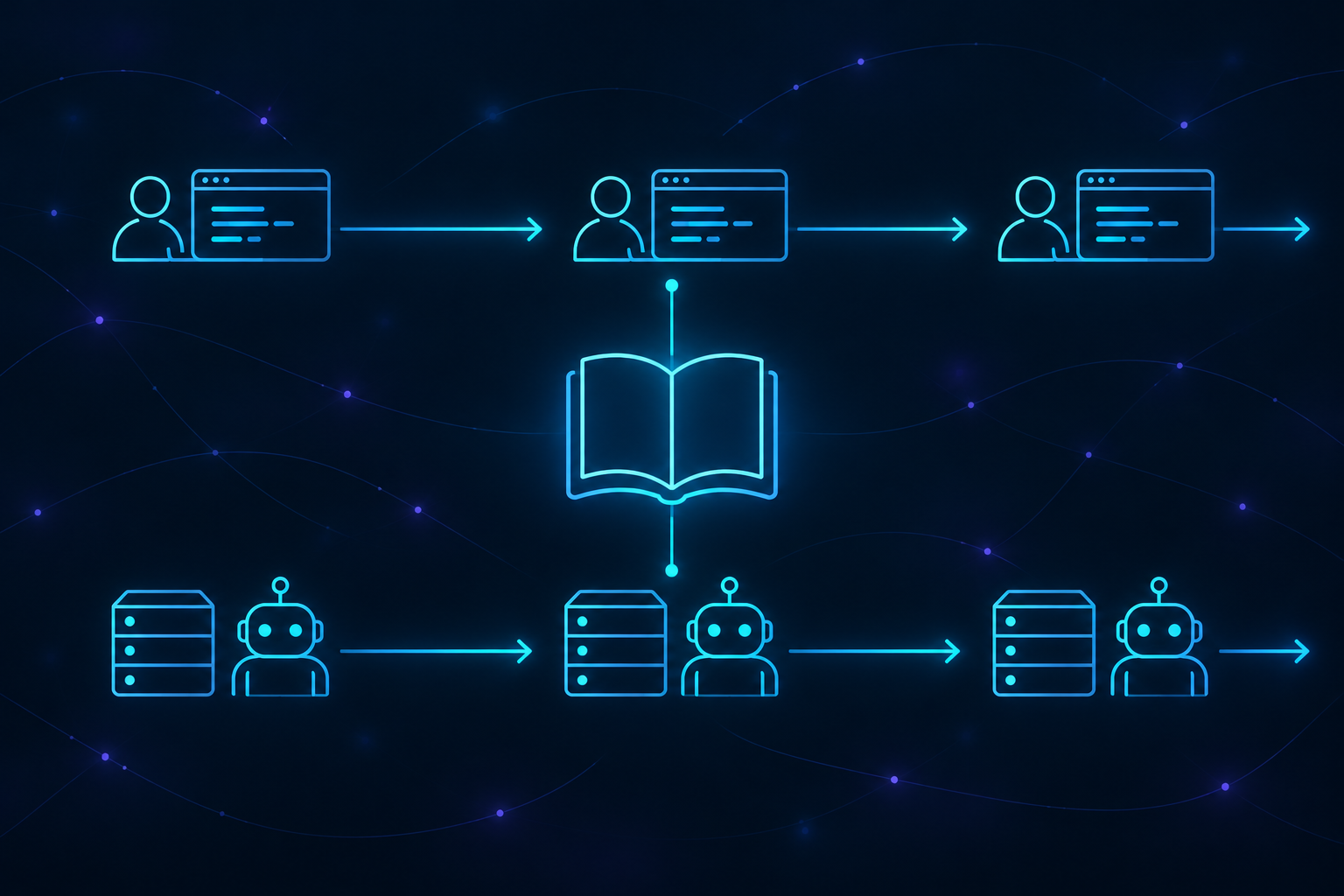
Here’s how it works, roughly. Some of the work I drive myself: 21 Claude Code sessions stay open across three machines, and a coordinator agent hands them tasks. The rest runs without me watching: ctrlrelay picks up GitHub issues, turns them into pull requests, and messages me on my phone when it needs a decision. I call these the interactive lane and the headless lane. The agents write the code, run the tests, and open the pull requests. What I had to build was the part that tells me when one of them has stopped.
Keeping it simple
I don’t run Hermes, Grok bot, or heavy multi-agent frameworks. Working in security taught me to pay attention to what I centralize, because it becomes a target. Complex infrastructure also takes time to maintain. My setup is simpler and cheaper: regular agents on Linux and Mac machines, with prompts that give each agent a role, and a single entry point for my interactions that acts as program manager and mission control.
Each machine keeps its own keys, local clones, and agent sessions. There’s no central vault holding everything. The coordinator is trusted, though: it can SSH into the other machines and has its own GitHub login. The machine I actually worry about is the one running the headless lane. It reads issue text from dozens of repositories, and anyone can write an issue. So that machine can’t SSH into my laptops, and an agent tricked by a bad issue can’t use it to reach my personal data. If the coordinator goes down, the interactive lane stops getting new work. Sessions already on a task keep going, and the headless lane doesn’t notice.
Why local sessions, and why Claude Code
If I’m using Claude Code anyway, why not run everything in Claude Code Web? Because the work needs things a hosted session doesn’t give me:
- My own rules and policies, enforced the same way on every machine.
- Real hardware: heavy test suites, research, large files, local models, and a GPU.
- Full control over Git: how branches, pull requests, and commit messages look, with no attribution added that I didn’t choose (*).
- My own credentials and permissions, and my own way of operating.
- Integrations with my own tools, like Mattermost.
- A full Linux or macOS environment, configured the way I want.
* Claude Code Web adds its own attribution to every commit and pull request, and you can’t disable it. That muddies GitHub’s record of who did the work, and it stops my CLA bot from auto-approving my own pull requests.
And why use Claude Code itself to coordinate the fleet, instead of building my own tool on the API?
- Cost: a subscription is a predictable monthly price, while the API charges for every token, and a fleet this size uses a lot of them.
- Tracking: I can see what each session uses, which is how I found the sessions carrying too much context.
- Terms: using my subscription through Anthropic’s own tool keeps me clearly within its terms. Plugging the same subscription into a third-party tool would not.
The machines
Here’s my hardware setup right now, four machines:
- Linux laptop 4 GB RAM (SSH access to other nodes, fleet coordination, and 3 of the agent sessions)
- MacBook Pro M4 Pro 24 GB RAM (coding, UI/CX testing, iOS/Apple development, model fingerprinting, Software Composition Analysis)
- MacBook Pro M1 Max 64 GB RAM (the fleet’s Ollama host: serves local models to every other machine over the LAN, and takes work from the coordinator when needed)
- Linux PC 32 GB RAM / RTX 5060 8 GB VRAM (local models, GitHub Actions, security analysis, software testing)
The models
I use two LLM coding providers: Claude Code (Anthropic) with a Max subscription, and Codex (OpenAI) with a Pro subscription. Claude handles coding and planning, while Codex handles adversarial testing: looking for ways the changes might fail.
I mostly code with Anthropic’s Sonnet and Opus. When a problem gets more complex, or the review loop goes past five iterations, the fleet coordinator escalates to Anthropic’s Fable or OpenAI’s Astra. For testing, Codex runs OpenAI’s Sol or Terra, depending on the work. Part five covers what happens when that review comes back clean for the wrong reason.
Two lanes, one rulebook
The work runs in two lanes:
- The interactive lane: the 21 sessions from above, working as a team. A coordination agent called “TPM” (technical program manager) handles:
- Each agent’s role, skills, and plugins, and communication between machines.
- Providing context, managing memory, and measuring and clearing the context window.
- Assigning work based on what each machine can handle.
- The headless lane: ctrlrelay runs on the Linux PC and watches 85 repositories across three organizations. It handles GitHub Dependabot alerts, security fixes, blocked upgrades, research, feature design, triage, releases, and assigned GitHub issues, following the configured policy and rules.
Both lanes use the same Git repository for configuration, memory, and fleet data, but they run as separate systems. Keeping the rules together avoids maintaining a different copy on every machine, and changes go through pull requests. Machines running the sync daemon check for updates every 15 minutes; on the others, I run an update script by hand. A failed pull leaves the old rules in place. I’ve seen a node log 418 failed pulls, including five days without a configuration update.
The interactive lane
On each machine I cloned the repos I work on, grouped by organization into their own folders. At boot, each machine starts a tmux session per folder: one for the org-level folder, plus separate ones for the repos I edit most. A bash script does the setup, started by systemd on Linux and launchd on macOS. Each configured folder gets a tmux window, and a folder with history resumes its last conversation instead of starting a new one:
1
2
3
4
5
6
7
# Config: ~/.config/fleet/sessions, one per line:   <name>  <path>
local cont=""
has_history "$path" && cont="--continue"
local rc_name="$HOST/$name"
# When claude exits, drop to a shell so the window (and its scrollback) stays.
local cmd="claude --dangerously-skip-permissions $cont -n '$rc_name' --remote-control '$rc_name'; exec \$SHELL -l"
tmux new-window -d -t "$TMUX_SESSION" -n "$name" -c "$path" "$cmd"
The --dangerously-skip-permissions flag lets each session run commands without stopping to ask me first. I accept that because these computers are used only for this work.
The same script reports sessions stuck on a startup dialog. It matches only the dialog’s footer, never the conversation text, which can say anything:
1
2
3
4
5
waiting_for_input() {
  local id; id="$(window_id "$1")"; [ -n "$id" ] || return 1
  tmux capture-pane -p -t "$id" 2>/dev/null | tail -12 |
    grep -qE 'Enter to confirm · Esc to cancel|Select login method|Press Enter to continue'
}
I have some rules based on how each of the agents operates. For example, the fleet keeps one session per folder, because --continue picks up the latest conversation in whatever directory you are in. Two sessions in the same directory will fight over the same conversation history and the same files. I do sometimes have two agents working on the same project, but never on the same machine. In some cases the agent can spin up additional agents working on separate worktrees, but once the work is done, the agent cleans up and consolidates the memory, to avoid future conflicts.
Sessions are not spread evenly. The coordinator is an old Linux laptop with 4 GB of RAM, and each session uses a few hundred megabytes, so it runs only the three org-level sessions, with no per-project ones. It also has a hard rule against running test suites, which I’ll cover in part three of this series. That machine is my interface to the fleet and keeps the other nodes talking to each other.
Updating the files on disk doesn’t refresh the rules a running session loaded at startup. Long-running sessions can therefore keep using old instructions until they restart. Part four covers that failure and why I now ask agents to read the file on disk before reporting a configuration error.
Having me in the loop doesn’t solve the oversight problem: the fleet still has to know when to ask for help, and I have to know when something is waiting on me. From outside a tmux pane, an agent thinking for ninety seconds looks the same as one waiting for an answer or stuck on a prompt.
Early on, I found two sessions that had finished their work hours earlier but were still sitting on an exit prompt, waiting for a keypress nobody would send. From outside, they looked busy. The health check now spots that state and tells the coordinator, but it leaves the prompt alone, because a session might be waiting on a real question. Part three has the full story.
What surprised me is where the problems actually live. The agents do the work fine. They write the code, run the tests, and open the pull requests. What I had to engineer was the handoff: knowing when one is done, when it needs me, and when it has quietly finished and forgotten to say so. That is the part nobody warns you about, and it is the part worth building.
The headless lane
The headless lane handles work without someone sitting at a terminal. It still asks me when a decision needs human input. Part two follows it step by step; here is the short version.
The headless lane runs on ctrlrelay, an open source project that runs as a background daemon. It polls GitHub for issues assigned to it or tagged with specific labels. When it picks up an issue, it adds a comment to let others know it has taken the task, creates a worktree, and runs an agent on it. Once the work is done and the verification and testing loop is complete, it opens a pull request.
Each task reports whether it finished, failed, or needs my input. That lets me keep track of work across repositories without opening a terminal for every agent.
My part in this lane is to set the rules, answer questions from the coding agent through Telegram or Mattermost, and review the resulting pull requests. The agents handle the coding and testing between those points. I still need to make time for the questions they send: a task that needs my decision stays blocked until I answer. When I counted in September 2026, only 4 of the 46 questions sent to me had been answered, and 16 were still waiting.
In this lane, ctrlrelay handles the scheduled sync, copying the shared rules, skills, and configuration into ~/.claude/.
In both lanes, an agent can stop working while everything around it still looks normal. Most of the tooling I’ve built is there to catch that moment and tell me something needs attention.
What the rest of the series covers
Part two follows the headless pipeline from an incoming task to a pull request. It covers what the agent may pick up, the rules it works under, the review loop, and how its questions reach me.
Part three covers how I tell whether a session is working, waiting on me, or stuck, how work goes to the machine that can handle it, and how I keep each session’s context from growing too large.
Part four covers the policy repo: the skill trigger table, when agents ask for help, the format they use to report their work, why a running session keeps the rules it read at startup, and what happened when the number of assigned issues suddenly grew.
Part five is about checking the numbers I get from the fleet. It covers misleading measurements, test suites running against the wrong source tree, a review that came back clean without reviewing anything, and why Git alone can’t tell me whether a pull request was merged.
The views expressed in this document are solely my own and do not represent those of my current or past employers. If you identify an error, please contact me, and I will make the necessary updates.